
Connect a source
M3U playlists
Use an HTTP playlist and an optional XMLTV programme guide.
Applies to 0.74 development preview; capture versions are stated below each illustration · English guide
What you need
The playlist address must return the actual M3U or M3U8 list. A web login page or a media portal page is not a playlist.
Playlist items may use different supported delivery protocols. A list can import successfully even when an individual stream is unavailable.
Some playlists declare an XMLTV address in their header. You can manage separate guide feeds and explicit channel mappings in the EPG settings.
Set up the source
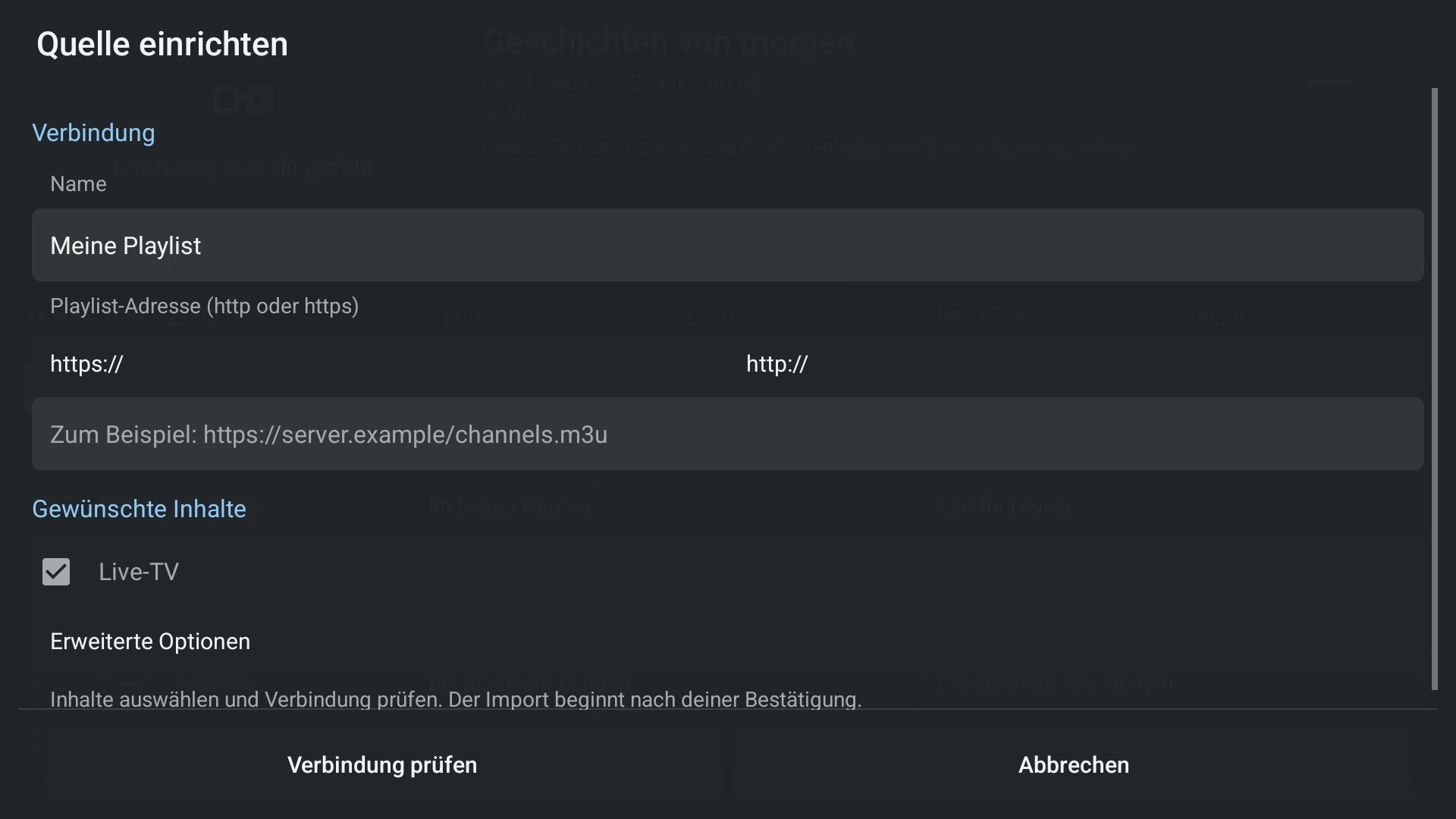
- Choose M3U and enter a name and the complete playlist address.
- Check the connection and save the source. Review channel and guide setup results.
- Open Settings > EPG > Programme guide sources to add an external XMLTV feed when needed.
- Assign that feed to the playlist and check a current programme before mapping unmatched channels manually.
Capabilities and limits
- Protect playlist addresses that contain account tokens as carefully as passwords.
- A manual mapping changes guide association, not the underlying stream address.
- Do not use random lookalike channel names to resolve ambiguous SD, HD or regional variants.