
Connect a source
FRITZ!Box Cable TV
Connect a compatible local cable tuner without entering provider credentials.
Applies to 0.74 development preview; capture versions are stated below each illustration · English guide
What you need
A compatible FRITZ!Box with TV streaming and a completed channel scan is required. A router model without that feature cannot be enabled by the player.
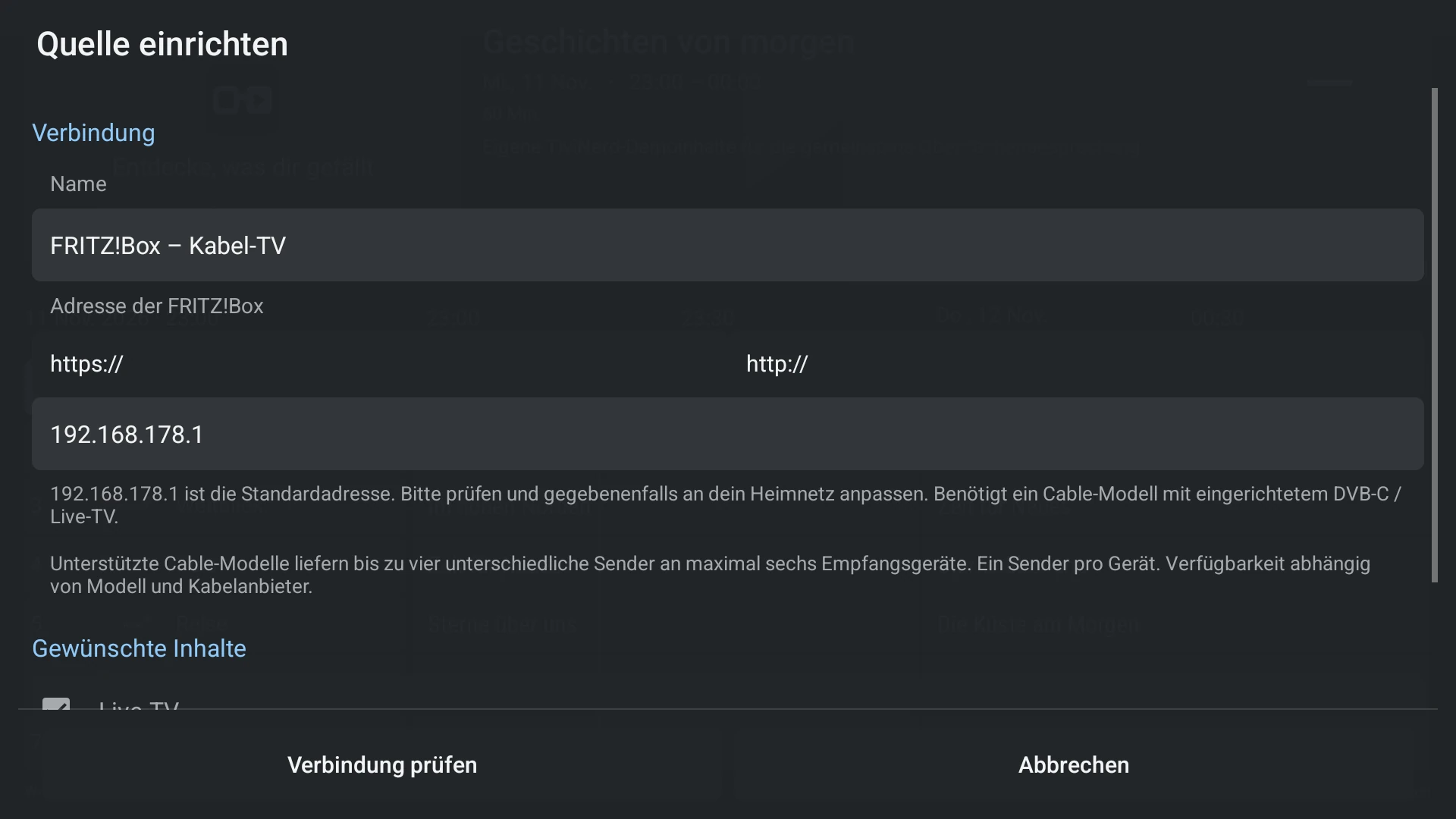
The suggested address is only a starting value. Check the actual local IP or hostname, especially after a network or VLAN change.
The channel list and the RTSP/RTP media connection are different network paths. A successful list download alone does not prove video delivery.
Set up the source
- Choose FRITZ!Box in source setup. Check or replace the suggested router address.
- Choose the available channel-list option and check the connection. Import the selected list.
- Start a known available unencrypted channel. If it cannot connect, check local network access and tuner availability.
- Assign a separate XMLTV guide if the router list does not provide the guide you need. Use current programme previews for manual mapping.
Capabilities and limits
- The number of simultaneous streams depends on the router and its tuner resources. Do not assume unlimited clients.
- Reception of encrypted channels is not a promise of decryption support.
- The TV streaming source does not require changing router accounts, firmware, security settings or other viewers.